PowerShell

Unleashing SharePoint List Data Extraction with PowerShell

Extracting SharePoint list data to CSV via PowerShell is genuinely simple for a small list. The part that trips people up is the connection method that’s since been removed, and the list-view threshold that silently breaks the simple version of this script once a list crosses 5,000 items. This post covers the current, working version

Unleashing SharePoint List Data Extraction with PowerShell Read More »

Streamlining SharePoint Add-In Installation with PowerShell

Worth leading with directly, since it changes what this post can actually be about: the classic SharePoint Add-in model (what this post originally covered) is fully retired. Microsoft deprecated it in November 2023 and it stopped functioning in any tenant as of April 2, 2026, with no extension. Any script built around installing a SharePoint

Streamlining SharePoint Add-In Installation with PowerShell Read More »

SharePoint: How to Copy document Recommendations

Copying documents in SharePoint has more than one right answer, which method actually fits depends on how many files, how often, and whether the process needs to run unattended. This post is a quick recommendation guide; for the full depth on PnP PowerShell bulk copying, job-status checking, and Power Automate, see SharePoint Copy Files: Everything

SharePoint: How to Copy document Recommendations Read More »

PowerShell : Hide SharePoint List via PnP / o365 CLI cmdlet

Creating a SharePoint list for an internal business process doesn’t always mean it should be visible to every end user browsing Site Contents. A supporting list a workflow depends on, for instance, can just cause confusion if someone stumbles onto it. Hiding the list is the fix: it still works normally and is still reachable

PowerShell : Hide SharePoint List via PnP / o365 CLI cmdlet Read More »

SharePoint Online: Using PowerShell, enable or disable the “Everyone” group

In this post: What the “Everyone” claims actually are · Why “Everyone” is riskier than it sounds · Showing or hiding the claims with PnP PowerShell · The same settings via SPO Management Shell · This is a visibility setting, not a security control · Auditing where it’s already been granted · Related reading What

SharePoint Online: Using PowerShell, enable or disable the “Everyone” group Read More »

Apply Custom Theme for SharePoint via PowerShell

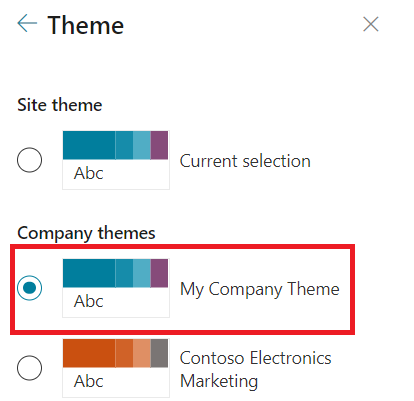
In this post: Overview · The Problem · The Solution · Applying it to many sites at once, without the UI · Related reading Overview Modern SharePoint now allows site owners to customize and apply custom styles and colors to their site, making it easier to manage and define branding across site collections. These capabilities

Apply Custom Theme for SharePoint via PowerShell Read More »